Your solar system is running perfectly. Or so the app says.
A speculative redesign of the Enpal customer app, focused on rebuilding financial trust through clarity, transparency, and plain-language savings visibility.
Screens explored
The problem
Enpal customers couldn't verify their savings, couldn't tell if their system was underperforming, and couldn't trust the numbers the app showed them.
The insight
This isn't a data display problem. It's a trust problem. And for a company whose upsell strategy depends on satisfied customers, eroded trust has a direct commercial cost.
The approach
Six design solutions spanning financial clarity, performance confidence, proactive alerts, forecasting, notifications, and multilingual support for pan-European expansion.
01 · Context
Europe is going solar. Customers are going in blind.
Solar adoption is accelerating across Europe, driven by rising energy prices, REPowerEU policy targets, and falling panel costs. But accessibility created a new problem.
Enpal's model
Enpal offers solar PV, battery storage, EV chargers, and an energy monitoring app, on a subscription model. Customers don't own the panels. Enpal does. That shifts the relationship: customers are paying monthly for a promised outcome, not a purchased asset.
Why trust is Enpal's core product
A subscription customer who trusts the system stays, upgrades, and refers. A customer who suspects underperformance cancels and churns. Trust isn't a UX nice-to-have — it's directly tied to Enpal's upsell and retention performance.
2x
Solar energy production across Europe since 2019
600 GW
EU solar target by 2030 under REPowerEU
€20k+
Typical homeowner investment in a PV system
02 · Research
What real customers are saying
Research was conducted through App Store reviews, Play Store reviews, Reddit threads, and energy community forums. Three reviews became anchors, each representing a distinct layer of the same underlying trust failure.
All research is secondary, synthesised from publicly available customer reviews and community forums. No Enpal employees or customers were interviewed directly. Pain points were prioritised by frequency across sources.
The app is showing feed-in tariffs of around €100 per day, even though 0 kWh were fed into the grid. How is that possible? Why can't the user enter their feed-in tariffs and simply multiply by the amount fed into the grid to get the correct amount?
App Store review · 5 users marked helpful
There are daily connection drops, and sometimes the Q2 fuse has to be reset several times a day to restart the Enpal box. Absolutely unacceptable. The app does what it's supposed to, when it actually works.
App Store review · 12 users marked helpful
I constantly have to switch to "today," and it doesn't show me what the individual modules are generating or what the storage level has been over the last hour. And what's the "Enpal Life" button for? I can see my products there, but I can't click on them.
App Store review · 13 users marked helpful
The user this redesign is for
Hans Müller, 52
Homeowner, Berlin. Solar PV, battery storage, EV charger.
“I invested a lot in this system. I just want to quickly see that everything is working as it should.”
Checks the app daily
Often in the morning, to confirm the system ran well overnight.
Moderate tech comfort
Uses a smartphone daily but is not an energy engineer. Wants reassurance, not raw data.
Motivated by ROI
Wants to know their €20k investment is paying off, in euros, not kilowatts.
03 · Core insight
This is a trust problem, not a data problem
The data exists. The system monitors everything. The failure is in translation: from raw energy metrics to financial confidence.
“Enpal sells customers confidence. The current app fails to deliver it.”
The three reviews above represent three layers of the same problem: the user can't verify the numbers (financial credibility), can't rely on the system being available (system reliability), and finds the daily experience frustrating rather than reassuring (daily friction). Each layer erodes trust. And for a company whose upsell model depends on satisfied, trusting customers — trust is the product.
Current experience
"34.2 kWh produced"
Raw metric, no financial context
Graph with no benchmark
User can’t tell if output is good or bad
No system status
Silence feels like something is wrong
Redesigned experience
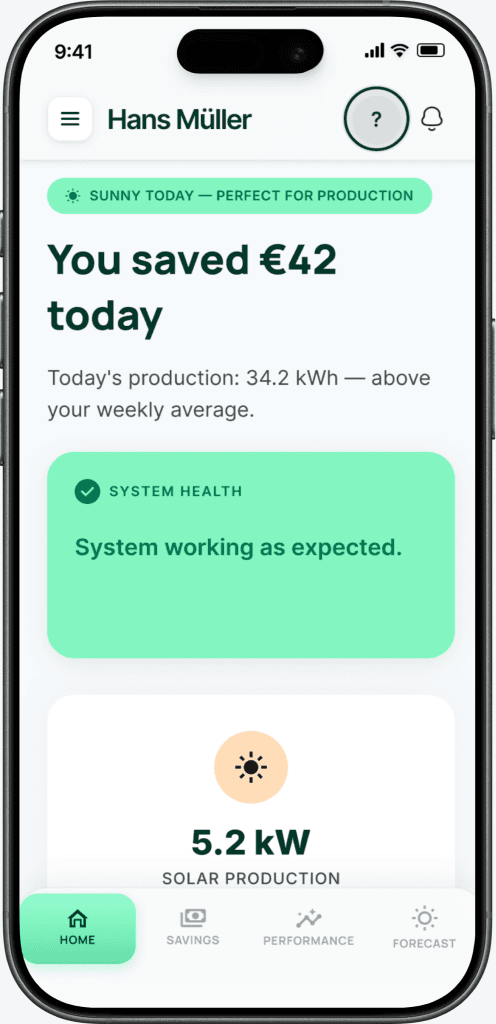
"You saved €42 today"
Euros first — the metric that matters
"Above your weekly average"
Instant context, no interpretation needed
"System working as expected"
Explicit reassurance removes anxiety
Based on patterns observed in App Store reviews. No access to the actual Enpal app codebase.
How might we
Restore user trust in an automated home energy system to enable confident energy and financial decisions?
04 · Scope
What this redesign solves, and what it doesn't
Transparent prioritisation. Hardware reliability and backend data accuracy are real problems — but they're not design problems. This redesign focuses on what the app can control.
In scope
- ✓Financial clarity: savings in euros, not kWh
- ✓Performance confidence: actual vs forecast output
- ✓Proactive alerts with plain-language explanations
- ✓Daily monitoring experience, reduced friction
- ✓Multilingual support for pan-European expansion
Out of scope
- ✕Hardware reliability (a network/infrastructure problem)
- ✕Backend data accuracy (a systems problem)
- ✕Installation and onboarding flows
- ✕Sales and quote experience
- ✕Advanced energy trading or tariff optimisation
05 · Competitive gap
Every app shows data. None closes the loop to trust.
A comparison of four players in the energy management space. The gap is consistent: technical data without financial context, and no connection back to the original sales promise.
Tibber DE
Smart energy + electricity provider
Enpal (current)
Solar PV subscription provider
Tesla Energy
Premium solar + battery ecosystem
This redesign
Enpal: trust-first approach
★ = differentiating features not available in compared apps. Tesla offers monetary savings estimates (Solar Value / Energy Value) but does not compare against original sales forecasts or payback timelines. Analysis based on publicly available app descriptions and reviews.
06 · Solutions
Six solutions, each rebuilding a layer of trust
Every design decision maps to a specific research finding. Expand “Design rationale” on any card to see the reasoning.
Home screen: lead with euros saved, not kilowatts produced
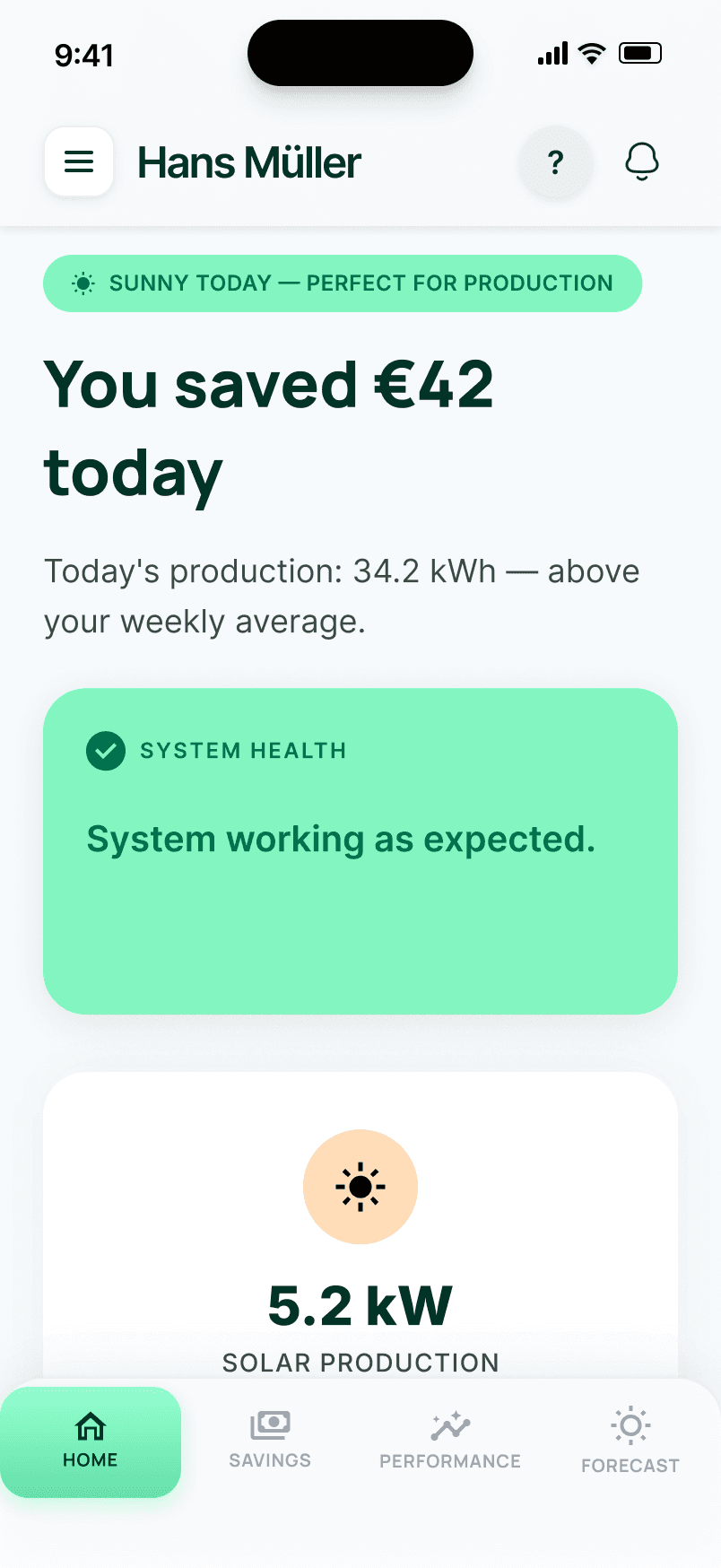
The original app led with solar production in kWh, a metric most homeowners can't intuitively translate into financial terms. The redesigned Home screen opens with "You saved €42 today" as the primary statement, supported by a system health indicator ("System working as expected") and a plain-language energy flow summary. Technical metrics are present but secondary.
1Visibility of system statusUsers should always know what is happening at a glance. The original app required users to interpret kWh figures to understand system health, putting the cognitive work on them. The redesign makes system status and financial outcome immediately visible without any interpretation required.
Key decisionSavings in euros as the hero metric, not production in kWh. Weather context (“Sunny today”) explains why today's numbers look the way they do — removing the anxiety of “is this normal?”
Savings: close the loop between the sales promise and reality
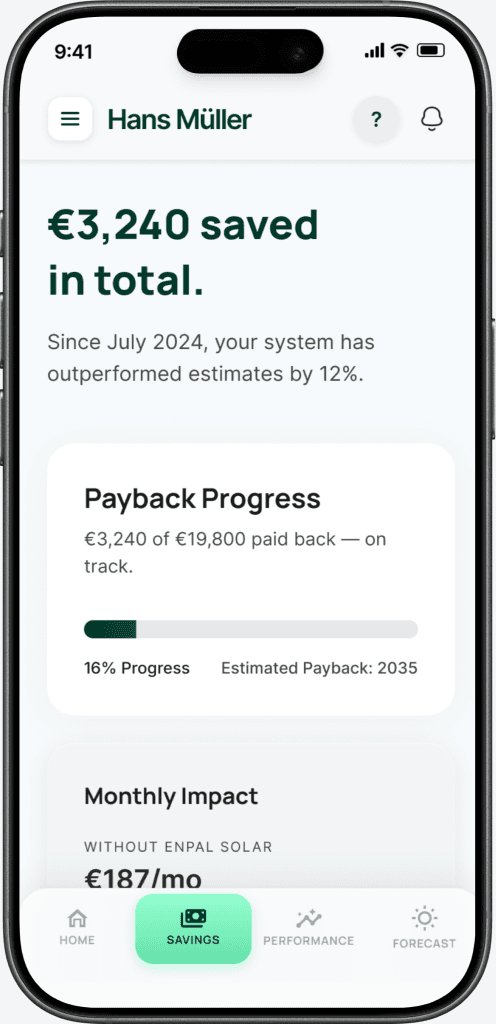
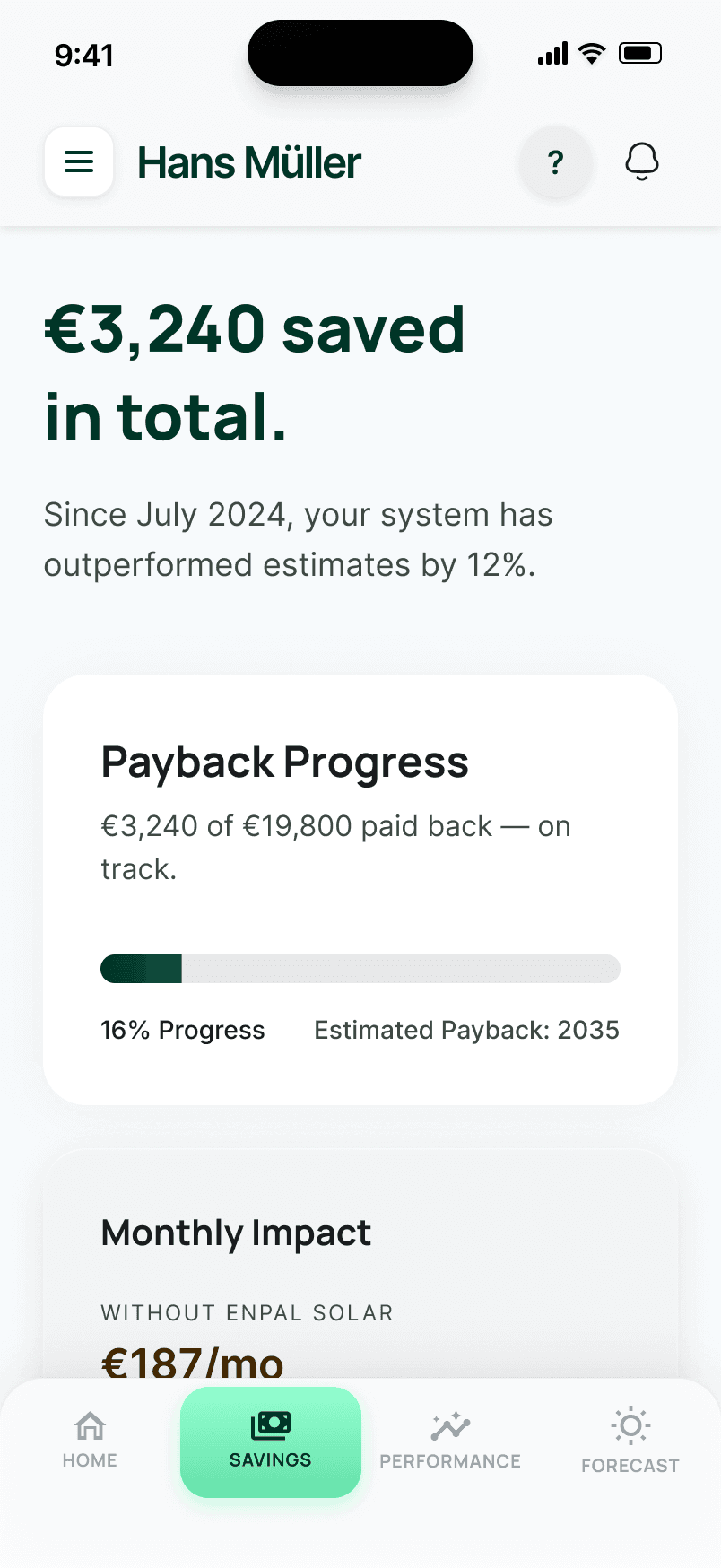
The savings screen directly answers the question every Enpal customer has but no current app answers: "Is my investment paying off as promised?" It shows total savings since installation, a payback progress bar (€3,240 of €19,800 paid back, on track), and a direct comparison: "Without solar: €187/mo. With solar: €31/mo." The sales forecast becomes a live benchmark, not a forgotten number from a brochure.
6Recognition over recallUsers shouldn't have to remember what they were promised at installation and compare it to what the app shows. The redesign makes the comparison explicit and persistent — the original sales forecast becomes a benchmark the app tracks against automatically.
Key decisionThe payback progress bar is the most important element. It gives users a single, trackable answer to “was this worth it?” that doesn't require any calculation on their part.
Performance: show expected vs actual, in plain English
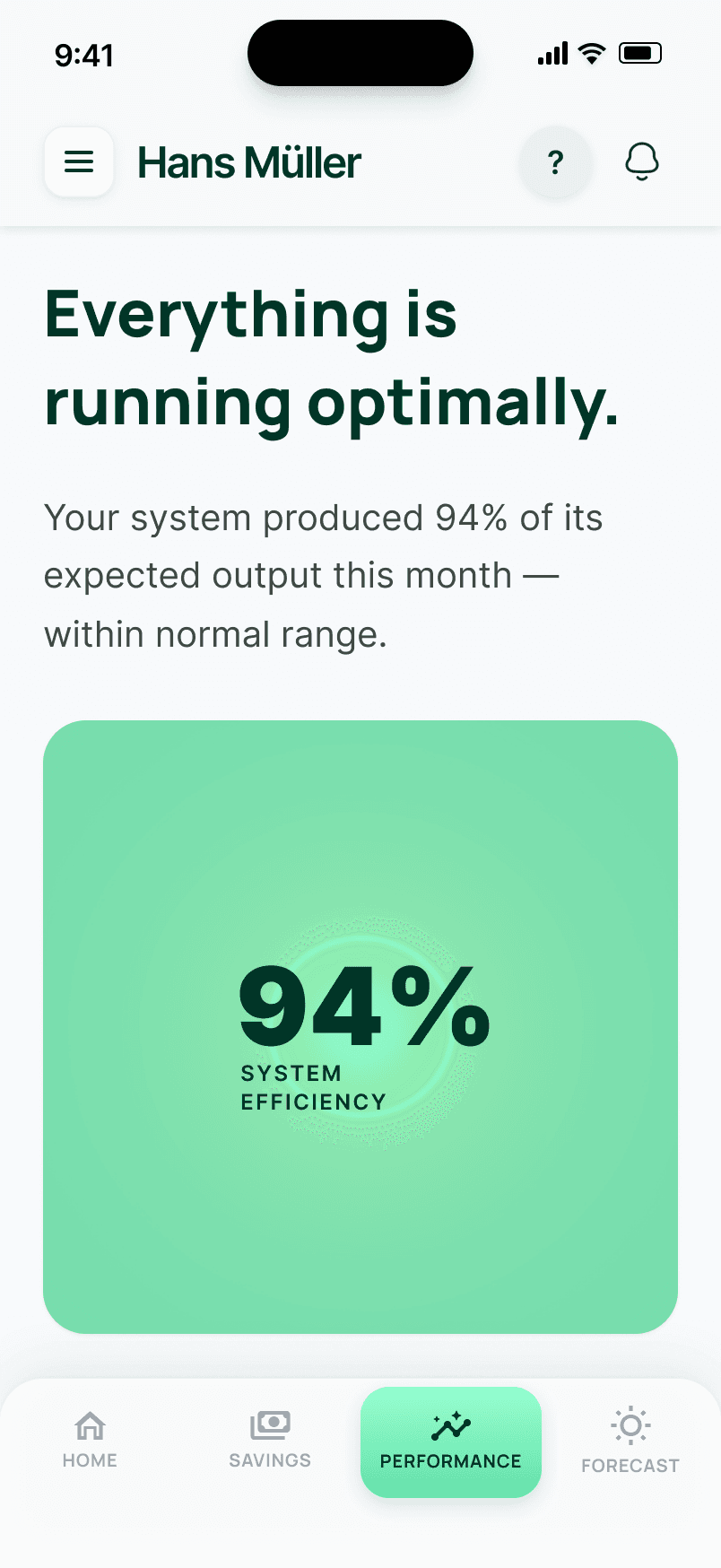
Instead of showing raw output figures, the performance screen opens with "Everything is running optimally" and a single efficiency score: 94% of expected output, within normal range. A 7-day actual vs expected bar chart shows the trend. Component status (panels, battery, grid) is shown with plain-language descriptions, not just green dots. The default state is explicitly reassuring — users aren't left to wonder if a number is good or bad.
4Consistency and standardsUsers shouldn't have to interpret what a number means — “94% efficiency” only tells them something if there's a consistent reference point. The redesign establishes “expected output” as that reference, so every reading is automatically contextualised against the forecast the system was sold on.
Key decisionThe headline is always a verdict, not a metric. “Everything is running optimally” — not “94 kWh.” The number supports the verdict; the verdict doesn't require interpretation.
Alert state: a three-tier model that communicates severity through savings impact
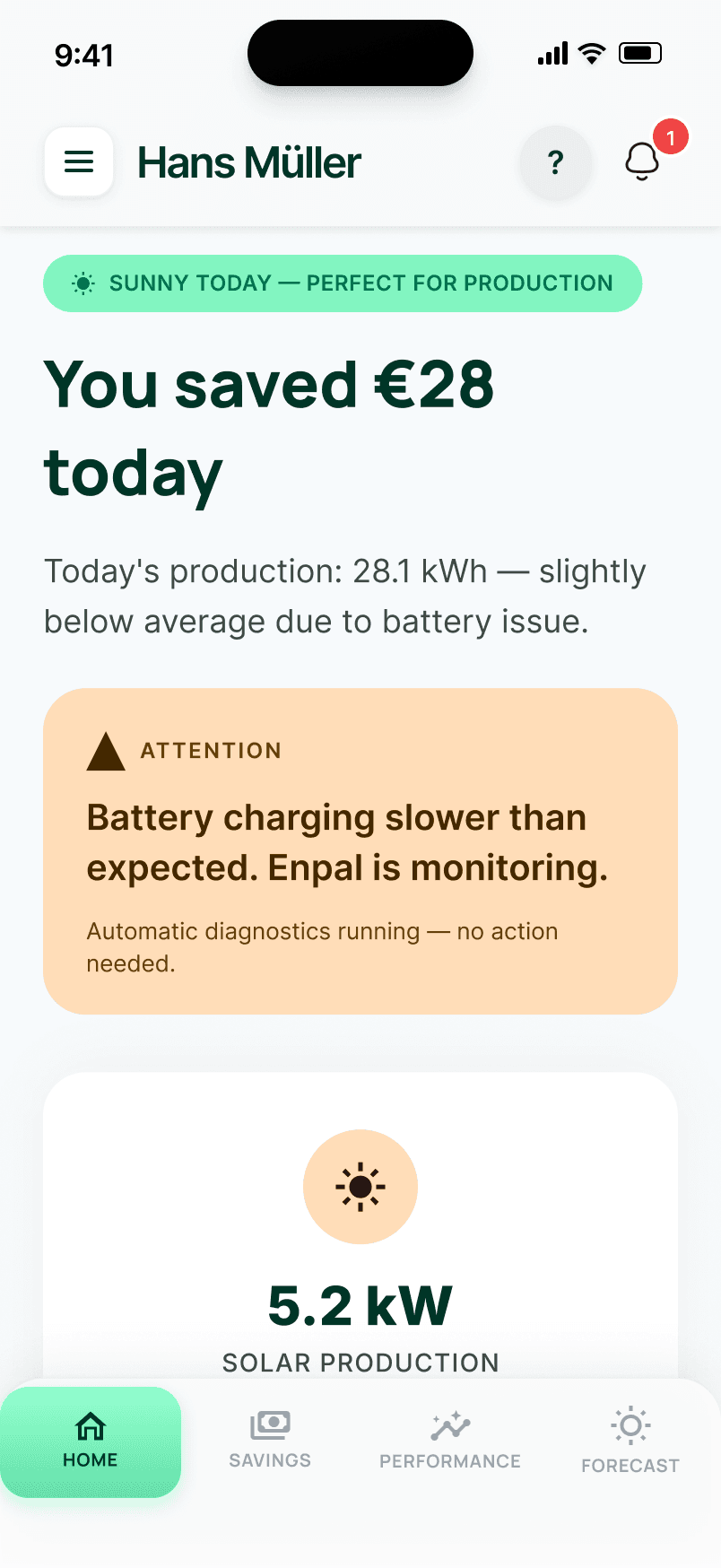
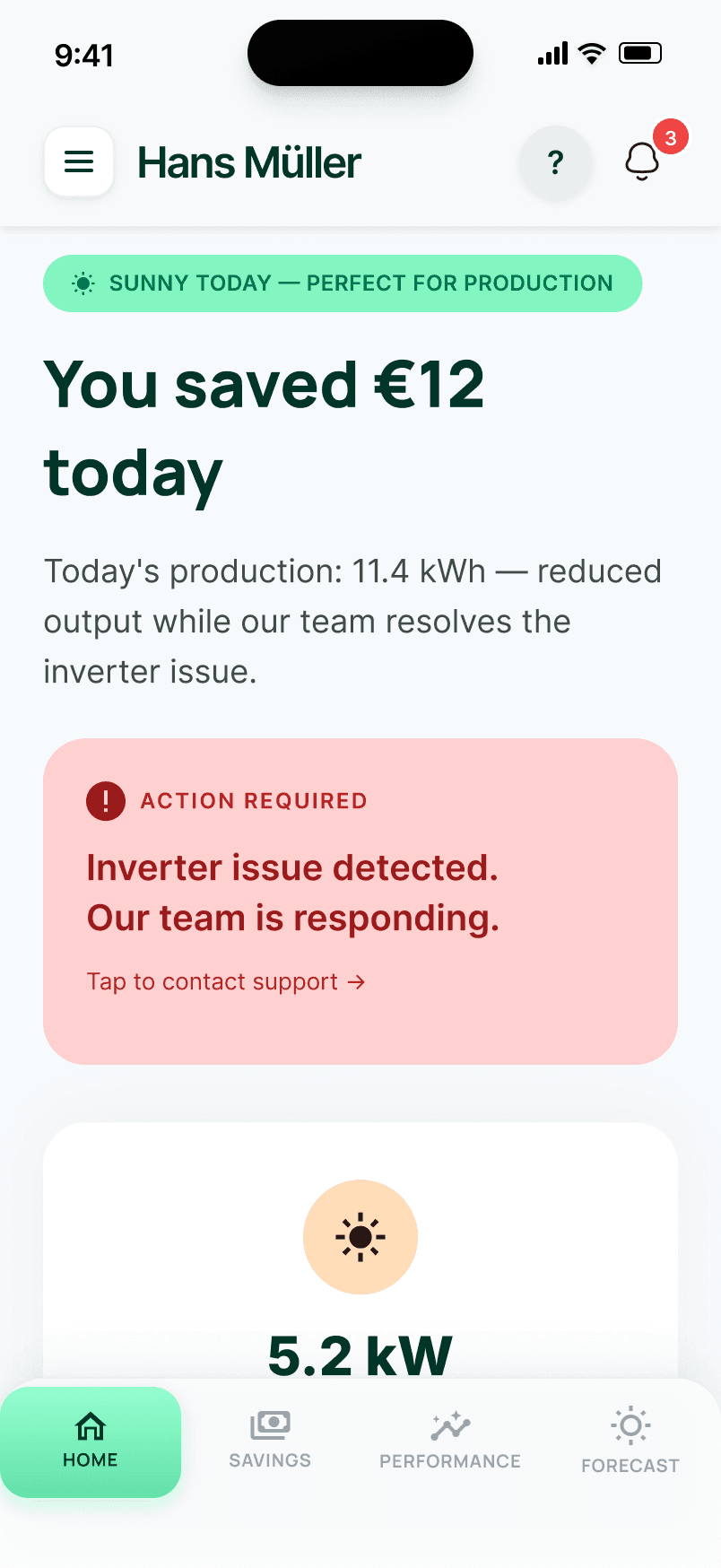
The System Health card uses a traffic-light model with three distinct states. Green: "System working as expected" with a checkmark — daily savings shown as €42. Amber: "Battery charging slower than expected. Enpal is monitoring." with a warning triangle — savings reduced to €28. Coral: "Inverter issue detected. Our team is responding. Tap to contact support." with an alert circle — savings reduced to €12. The dashboard layout stays identical across all three states; only the card colour, messaging, and savings figures change. This prevents layout shift and preserves spatial memory.
5Error preventionWhen errors occur, users need to know three things: what happened, whether it affects their savings, and whether they need to do anything. Each alert tier answers all three in one glance. Savings figures differentiate per state (€42 / €28 / €12) so users understand the financial impact of an issue — not just its existence.
Key decisionCoral (#ffd0d0) was chosen over alert red (#ff0000) for the critical state. Red feels alarming and erodes trust — precisely the opposite of what the app should do when a homeowner sees an alert on a system they paid €20k for. Coral communicates urgency without panic. And “No action is needed from you” on the amber state removes anxiety at exactly the moment it would otherwise spike.
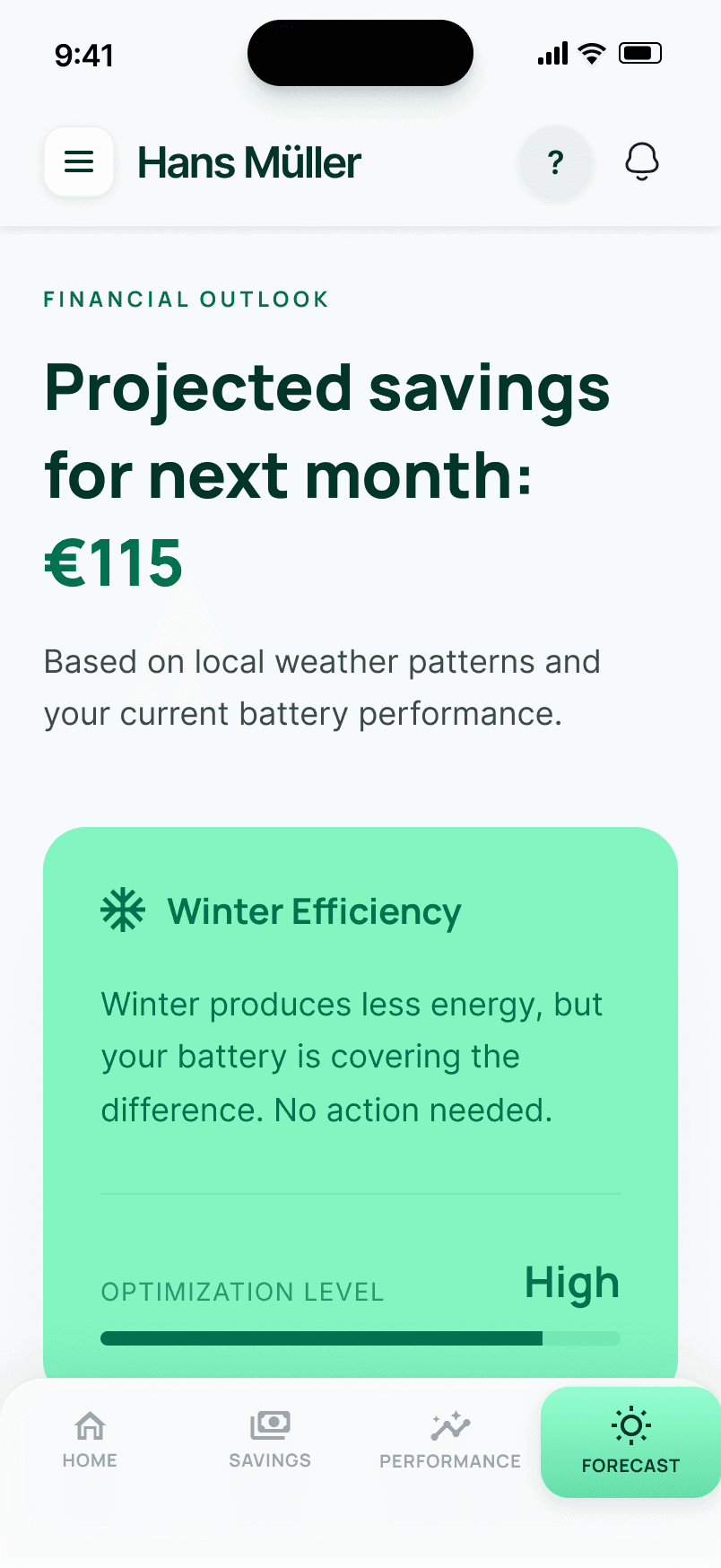
Forecast: show what next month will look like before it happens
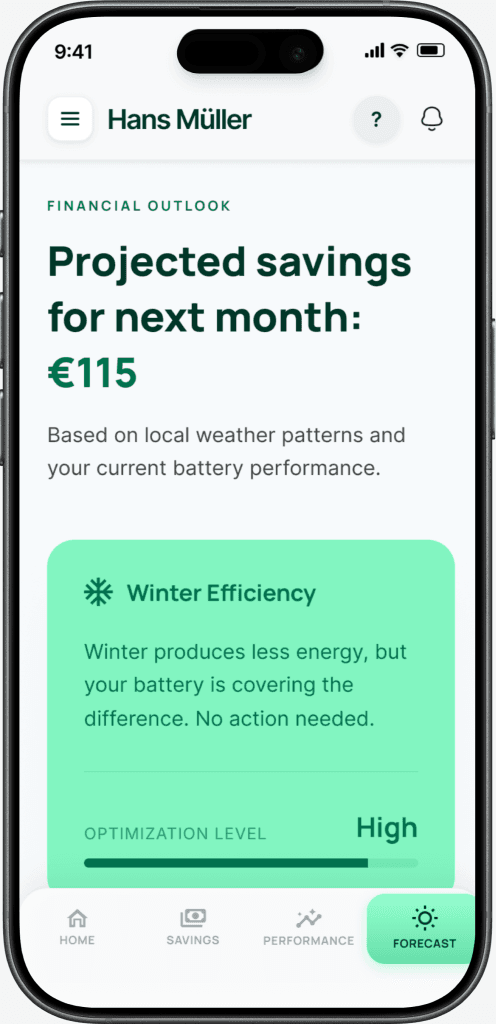
The Forecast screen projects next month's estimated savings (€115), contextualised with seasonal efficiency factors. Winter months naturally produce less solar energy — instead of letting users discover this through a confusing dip in their savings, the app explains it upfront. A CO₂ offset tracker adds environmental impact alongside financial data, giving users a second dimension of value from their system.
1Visibility of system statusForward-looking data reduces the anxiety gap between monthly bills. Users who can see projected savings don't need to wonder whether their system is underperforming during winter — the app tells them before they have to ask. This is visibility extended into the future, not just the present.
Key decisionPairing financial projection with CO₂ offset tracking. Users who aren't motivated by money alone can see their environmental impact — and users who are focused on ROI get a forward-looking number that keeps them engaged between bills.
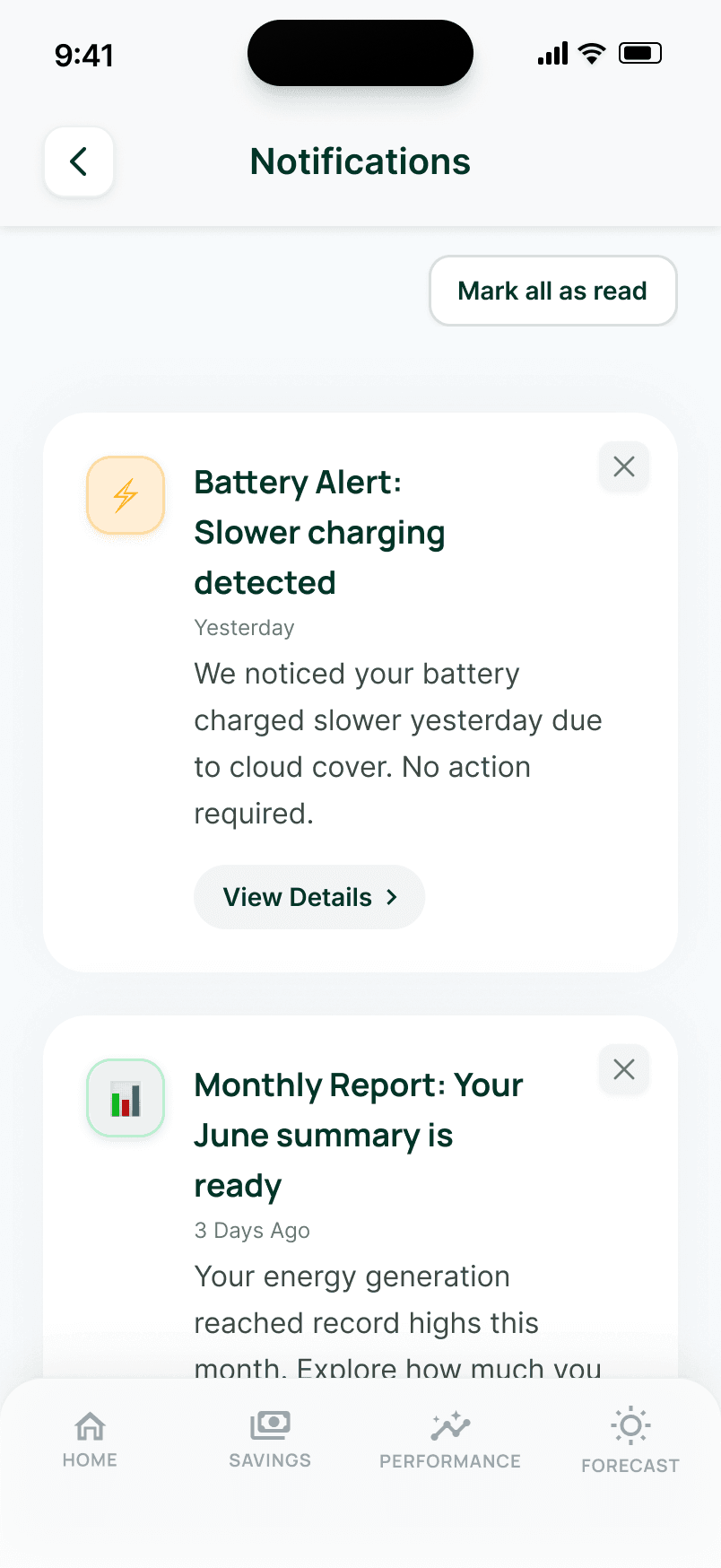
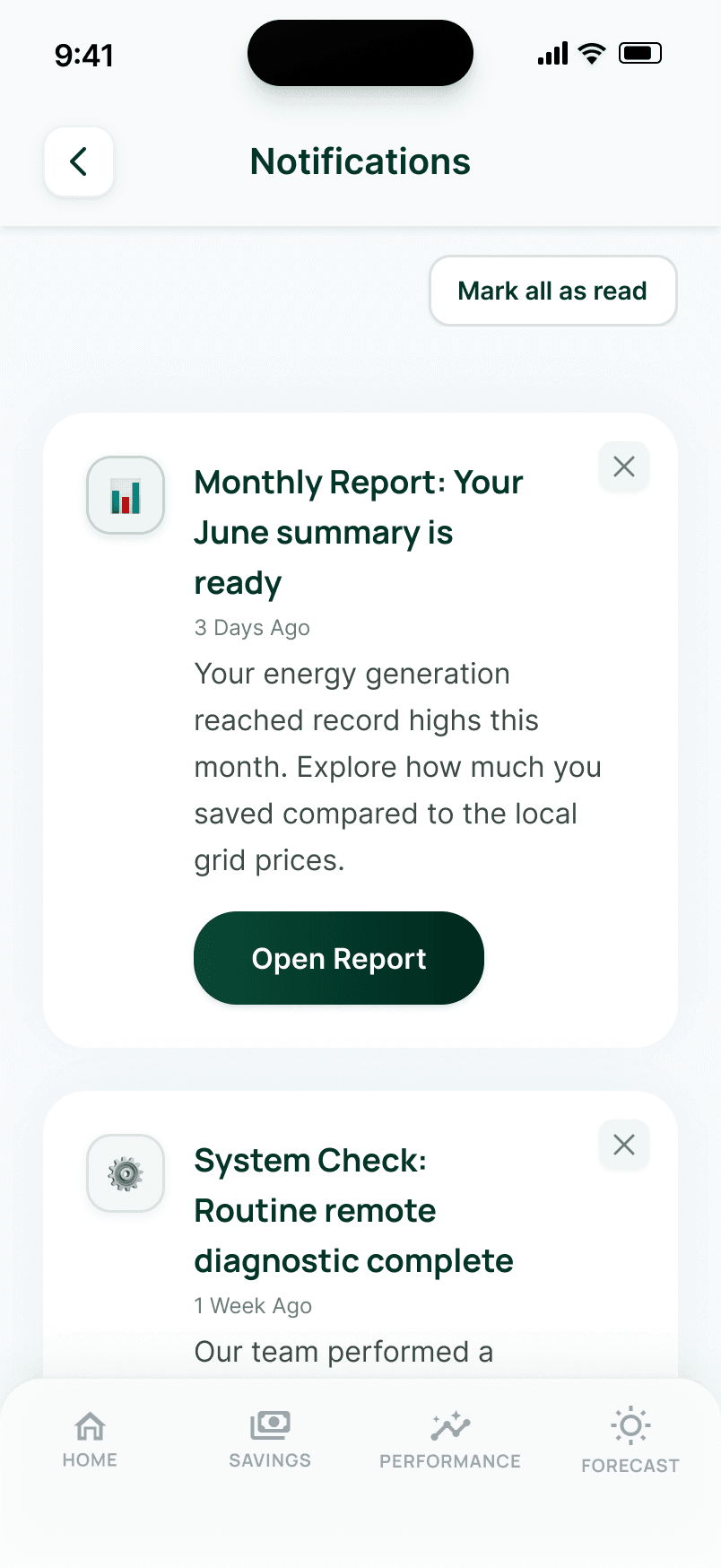
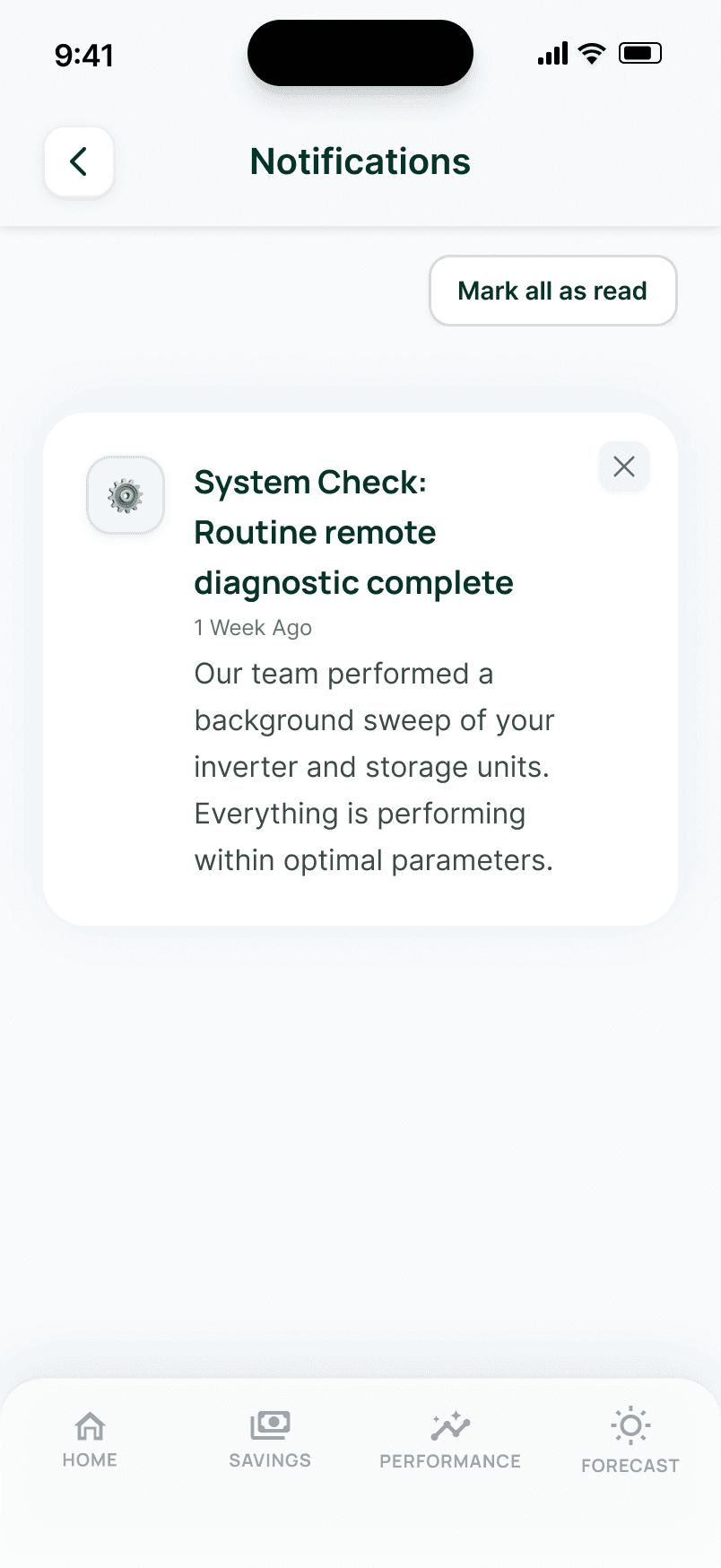
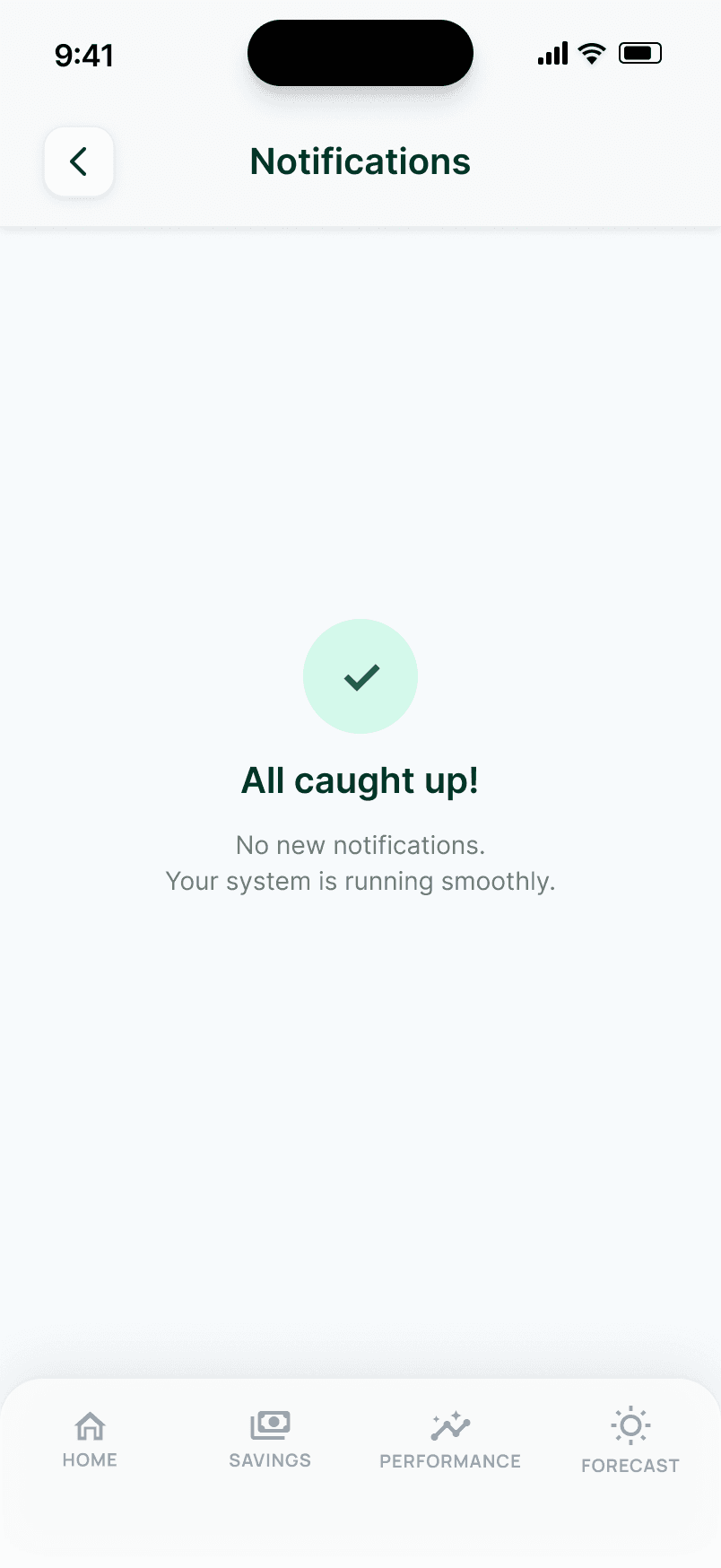
Notifications: keep users informed without overwhelming them
A bell icon with a count badge (1 or 3 depending on severity state) signals unread alerts. Notification cards use icon circle colours to communicate severity: amber for attention-needed items, green for positive confirmations. Users can dismiss individual notifications or tap "Mark all as read" to clear the list. The dismiss flow progresses naturally: 3 items, 2 items, 1 item, then an empty state reading "All caught up! No new notifications. Your system is running smoothly."
3User control and freedomUsers need to control what they've seen. The dismiss flow gives them agency over their notification list, while the system communicates proactively so users don't need to manually check for issues. The System Health card on the Home screen is tappable and navigates directly to Notifications.
Key decisionThe empty state is deliberately reassuring: “All caught up!” closes the loop. It tells users there's genuinely nothing to worry about — not that the system has stopped communicating. Severity is communicated through icon circle colour, not left border bars (which clipped against rounded corners in testing).
07 · Design trade-offs
Every decision had a reason. Here are five.
Design is choosing. These are the choices that shaped the prototype — each one a deliberate trade-off, not a default.
Same layout, same position, same components — only the colour, message, and savings figure change.
Coral over red for critical alerts
Red (#ff0000) feels alarming and erodes trust at exactly the moment the app needs to build it. Coral (#ffd0d0) communicates urgency without panic — critical for a user staring at an alert on a system they paid €20k for.
Savings change per alert state: €42 → €28 → €12
If the savings figure stayed at €42 during a critical alert, the user sees conflicting signals — the card says something is wrong, but the number says everything is fine. Differentiated figures make severity financially tangible.
Two-factor authentication removed
The persona is 52 and moderately tech-comfortable. 2FA adds friction that outweighs its security benefit for this audience. Biometric login (FaceID/TouchID) was kept — it’s easy to operate. This is a deliberate simplification, not an oversight.
Notification severity via icon colour, not left borders
Left border bars were tested first but clipped against the card’s rounded corners, creating a visual artefact. Icon circle colours (amber for warnings, green for positive) communicate severity cleanly within the card’s existing shape.
Help moved from Settings footer to dedicated page
Help was buried at the bottom of My Account, past four sections of settings. For a user who needs support, that’s four scrolls too many. The ? icon now appears on all six main screens, and Help & Support is also in the hamburger menu — two paths to the same destination.
Process note: A full Nielsen Norman 10-heuristic evaluation was conducted across all 15 screens before finalising the prototype. These trade-offs emerged from that process — alongside fixes for navbar variant errors, jargon simplification, and visual consistency issues across alert and notification states.
08 · Interaction patterns
Two patterns designed for a 52-year-old homeowner
Both additions came directly from the persona. Hans is moderately tech-comfortable — explicit, labeled access always beats implicit navigation patterns.
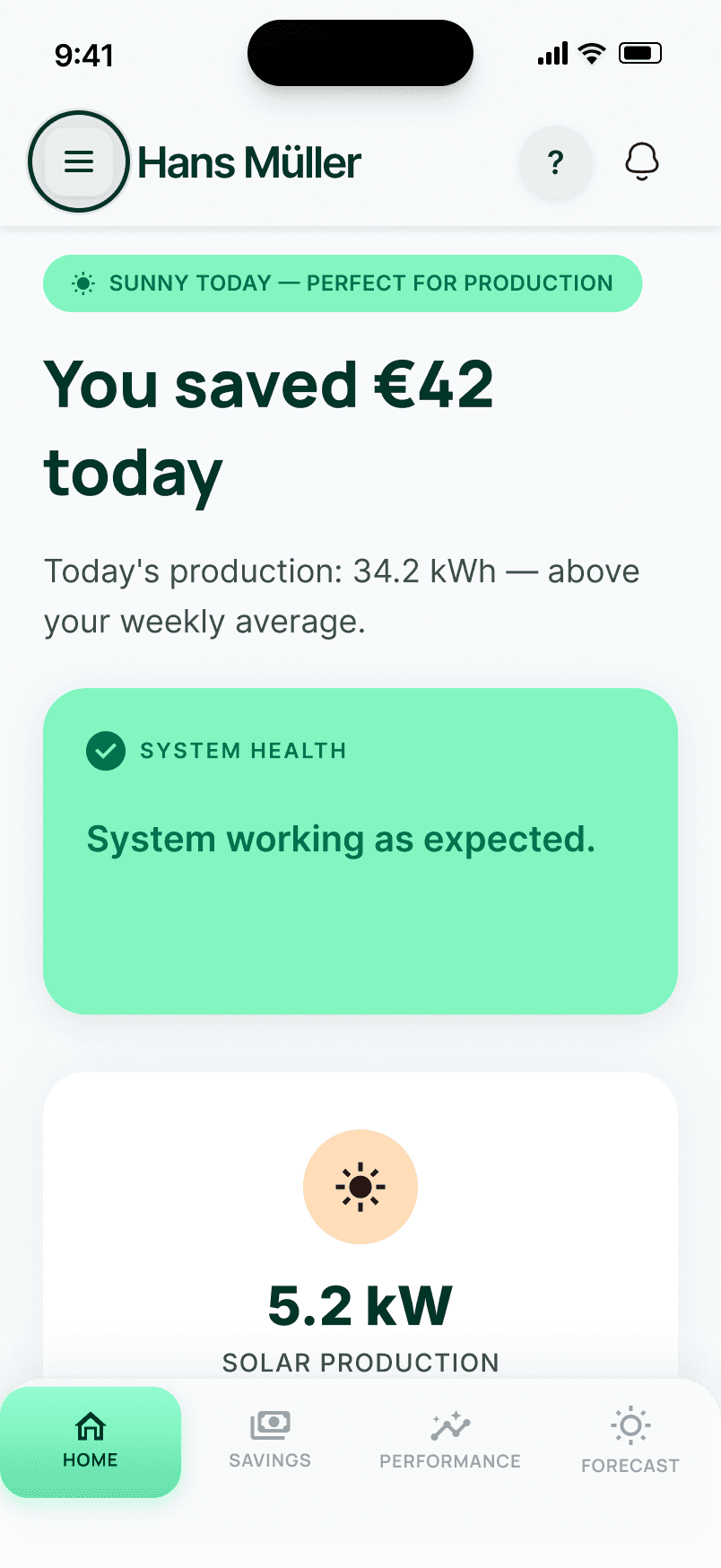
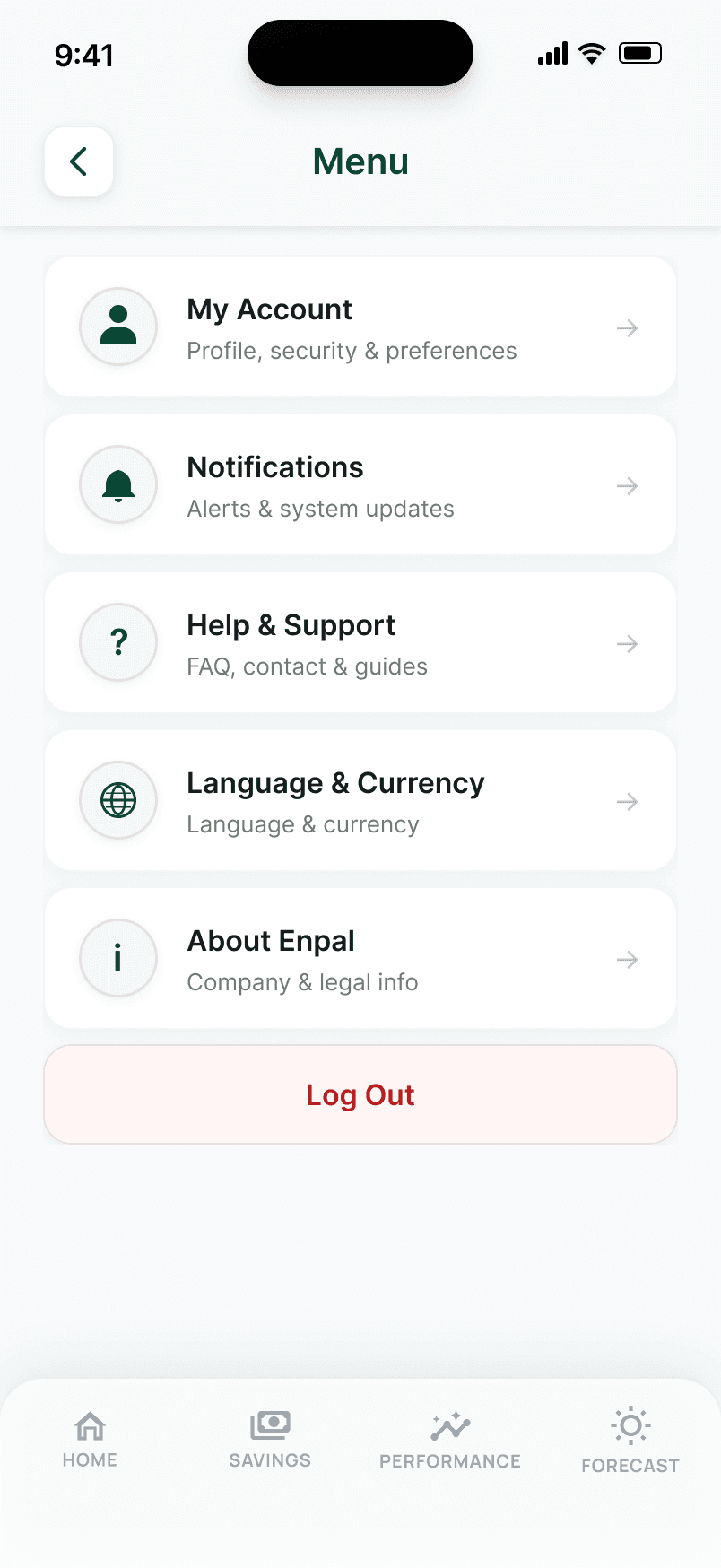
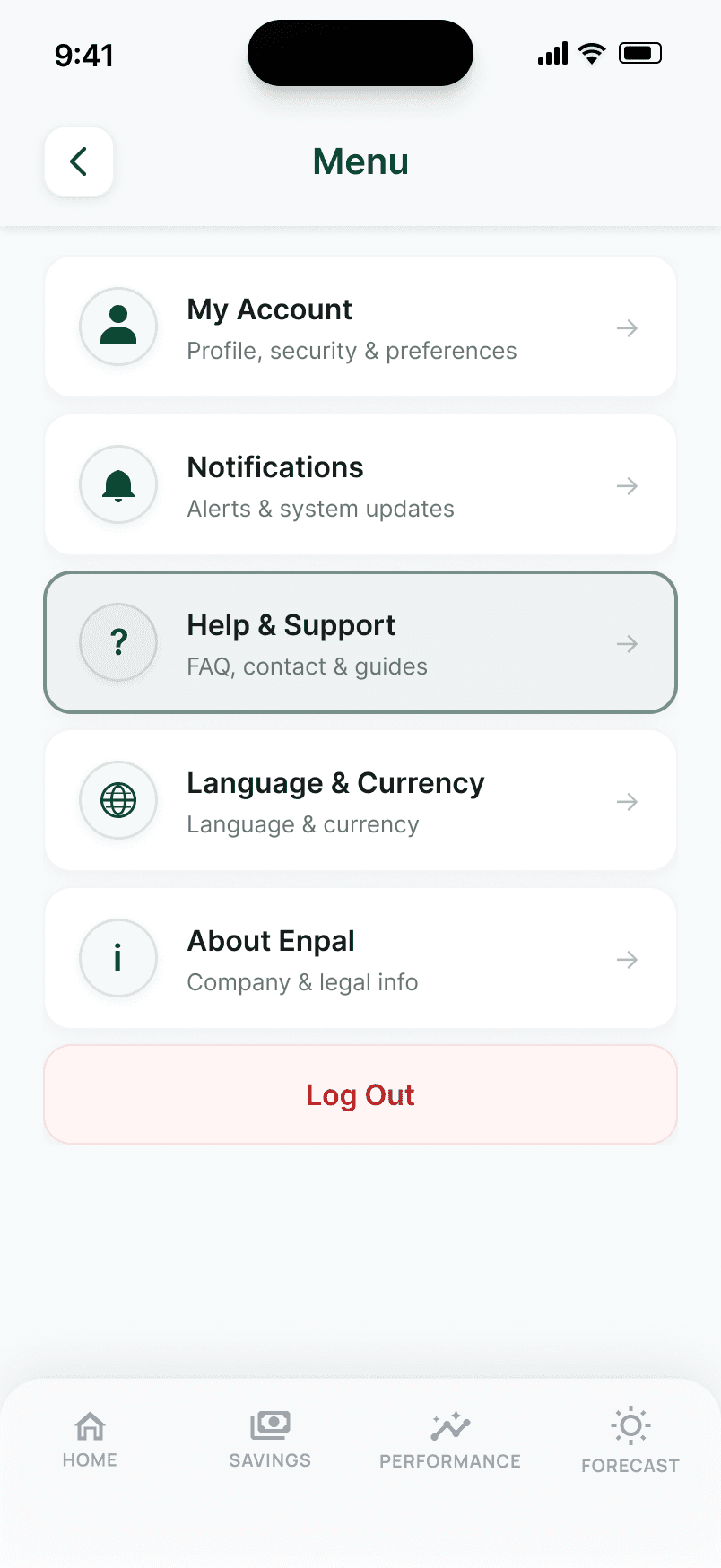
Hamburger menu
The profile photo was originally the only entry point to My Account — too implicit for older users. The hamburger menu provides explicit, labeled access to all six secondary features: My Account, Notifications, Help & Support, Language & Currency, About Enpal, and Log Out.
Both the hamburger menu and shortcut icons (? and bell) remain. The menu is a safety net. The icons are accelerators. This is Heuristic #7: flexibility and efficiency of use.
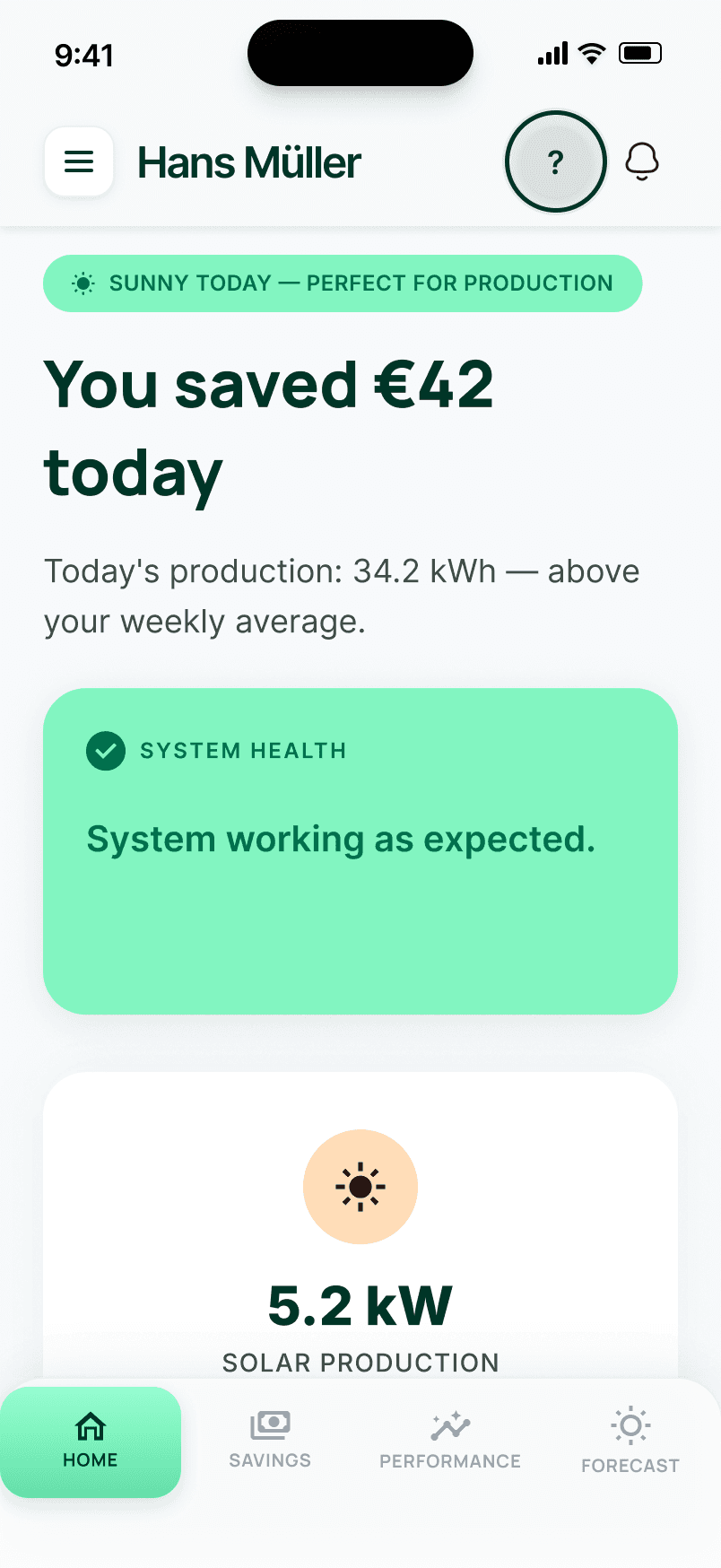
Help discoverability
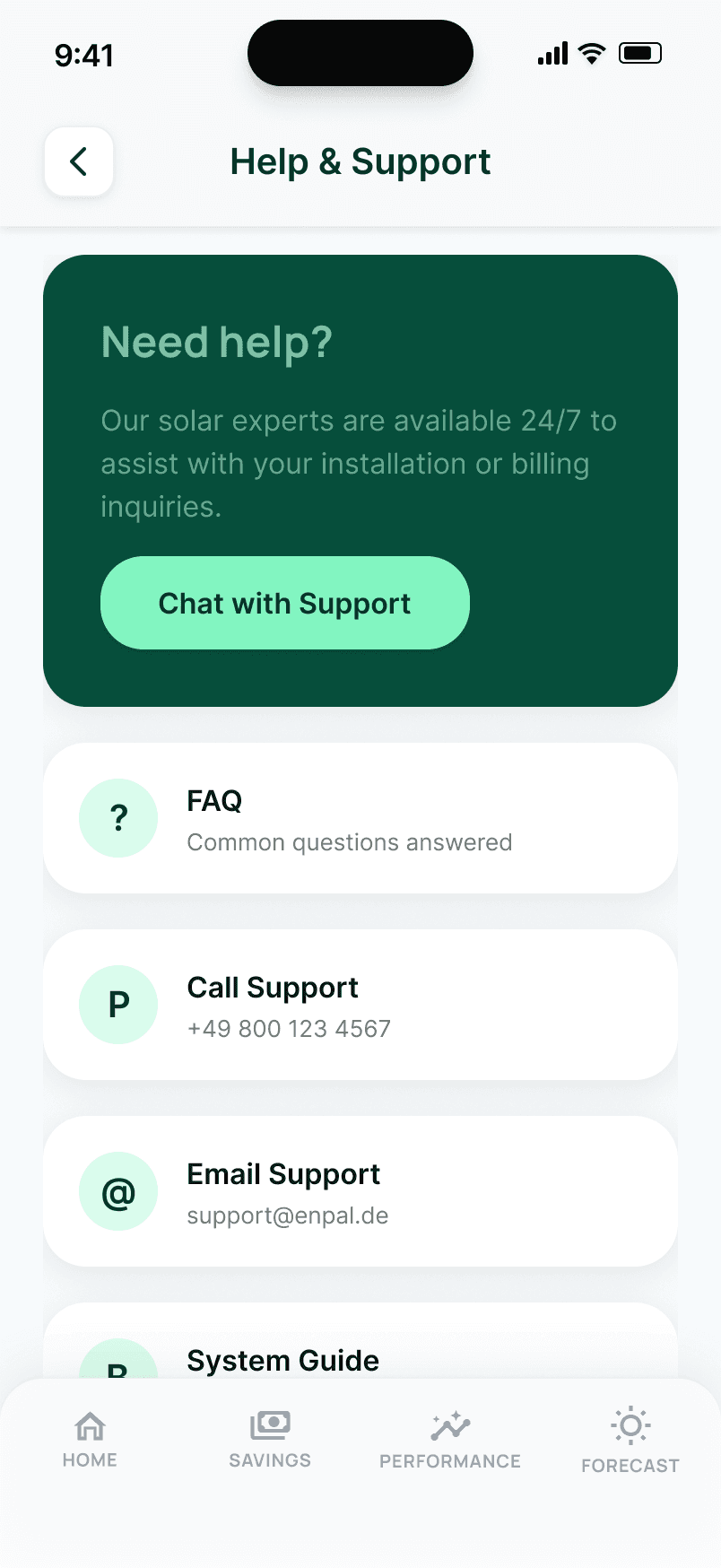
Help was originally buried at the bottom of Settings, requiring users to scroll past four sections to find it. It now has a dedicated Help & Support page accessible via a ? icon present on all six main screens and via the hamburger menu.
Four clear channels: Chat with Support (AI chatbot), Call Support, Email Support, and System Guide. Each CTA names the channel — no ambiguous wording. This is Heuristic #10: help and documentation.
09 · Multilingual support
Trust doesn't translate automatically
Pan-European expansion requires more than translated strings. Financial terminology, number formats, and currency conventions differ across markets. The language selector is a strategic feature, not just a settings option.
Enpal's expansion beyond Germany into France, Spain, Italy, and the UK requires the app to feel native in each market, not just translated. The Settings screen supports all five target languages alongside a currency display toggle (EUR, CHF, GBP), so financial data always appears in the format that feels natural to each user. German is the primary market; English supports UK expansion, French/Spanish/Italian unlock pan-European reach, and CHF support extends to Switzerland — whose three official languages (German, French, Italian) are already in the dropdown.
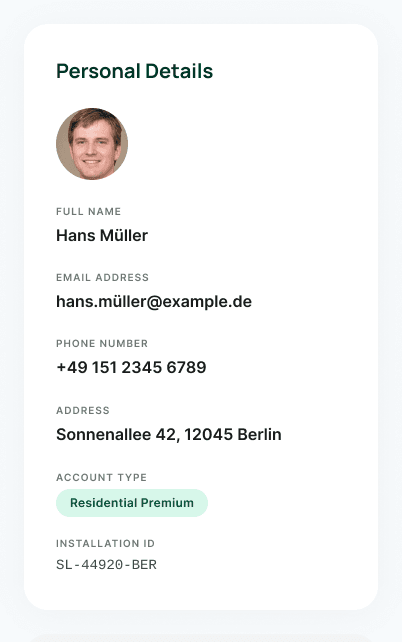
My Account · Settings sections
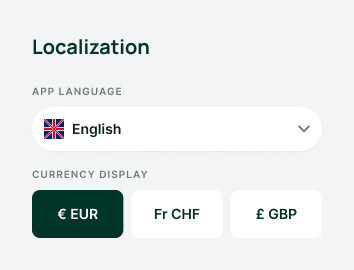
Localization is where the multilingual story actually lives — five language options plus EUR / CHF / GBP currency display, both inside the same My Account profile page.
Business case: Enpal's upsell model depends on trust. A British customer seeing EUR amounts when they expect GBP, or a French customer reading savings data in German, faces an immediate trust barrier before the content has even had a chance to reassure them. Language and currency support is trust infrastructure, not a UI addition.
10 · Learnings
What this project taught me
Two things I'd carry directly into a real product team.
UX and business goals aren't just aligned here — they're the same thing.
I started thinking this was a data display problem. The research showed it was a financial trust problem — and financial trust is literally what Enpal's upsell model runs on. When the UX goal and the business goal are the same variable, every design decision has direct commercial weight. That changes how you prioritise.
Secondary research can be as specific as primary — if you synthesise well.
Three App Store reviews, each cited by multiple users as helpful, gave clearer design direction than a generic interview guide would have. The specificity was already in the data. The job was to recognise which complaints were patterns, not outliers, and to follow the emotional thread underneath them.
Explore the full prototype
All 15 screens across 6 solutions, 3 alert states, and the full notification dismiss flow.